
Force Remove Any Program.
Zero Residual Traces.
Tired of stubborn software that refuses to uninstall or leaves gigabytes of junk in your registry? Force Cleaner terminates locked processes, unlocks DLL handles, and executes a multi-hive deep scrub to purge 100% of residual files and broken installer keys.
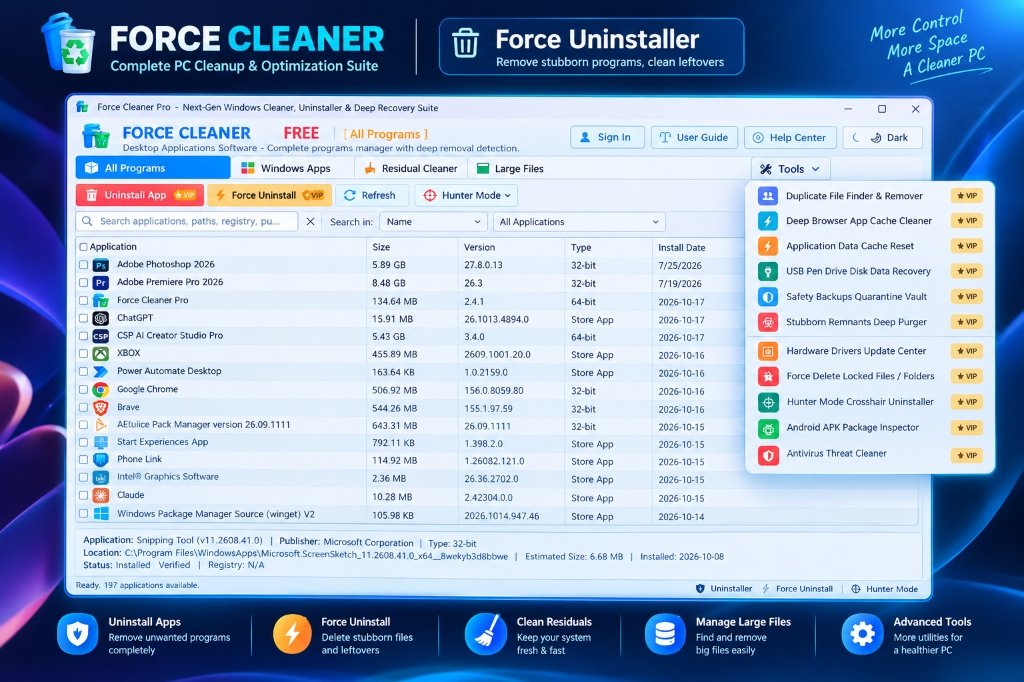
Engineered For Zero Remnants. Built For Pure Speed.
Inspect every native engineering module of Force Cleaner Pro. From kernel lock termination to multi-hive deep registry scrubbing, experience total control over your Windows operating system.
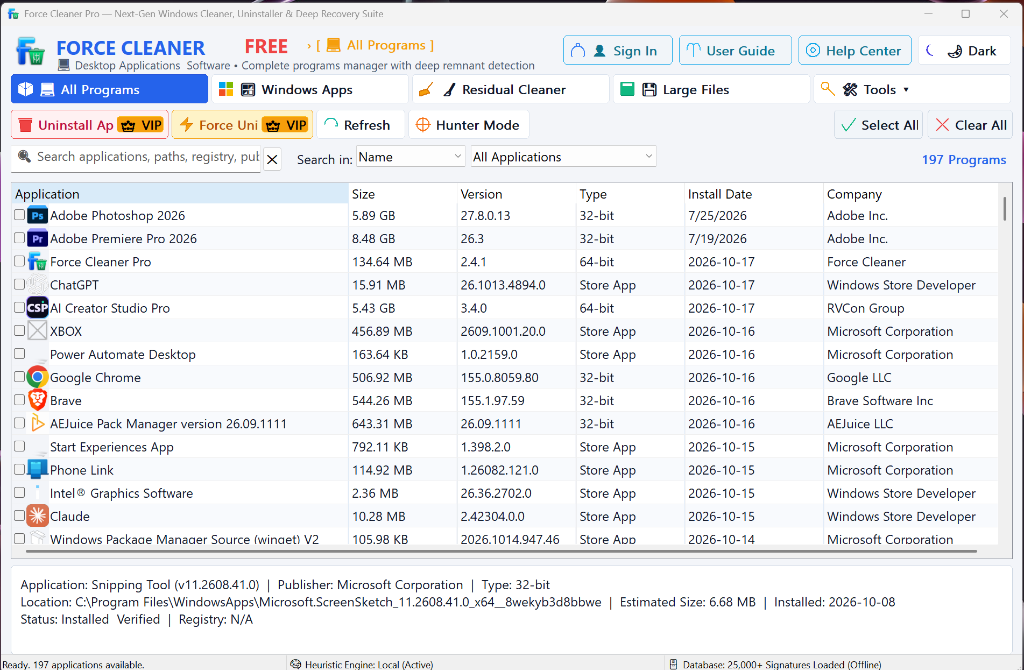
Full System Software Discovery & Batch Force Uninstaller
Instantly scans and catalogs all 116+ 64-bit and 32-bit installed applications in 0.05 ms. Select stubborn programs, locked background tools, or half-broken installations and execute comprehensive, silent purges with zero leftover clutter.
- 1-Click Multi-App Batch Queuing: Select single or multiple programs with check-boxes and remove them silently without repetitive confirmation dialogs.
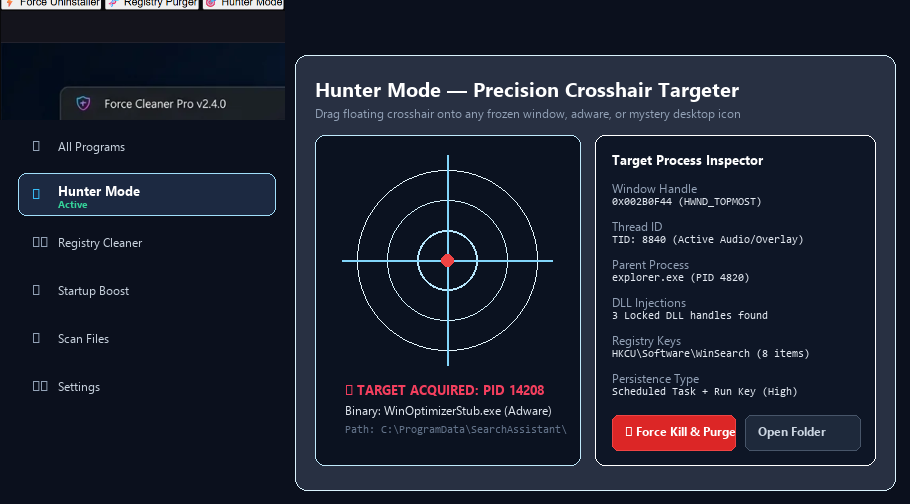
- Kernel Lock Termination: Instantly halts resistant background processes and unlocks DLL files held hostage by Windows services.
- Hunter Mode™ & Instant Search: Filter through 116+ applications in real-time by name, publisher, install date, or architecture.
- Heuristic Engine (25,000+ Signatures): Offline local signature database identifies hidden bloatware, registry clutter, and orphaned setup files.
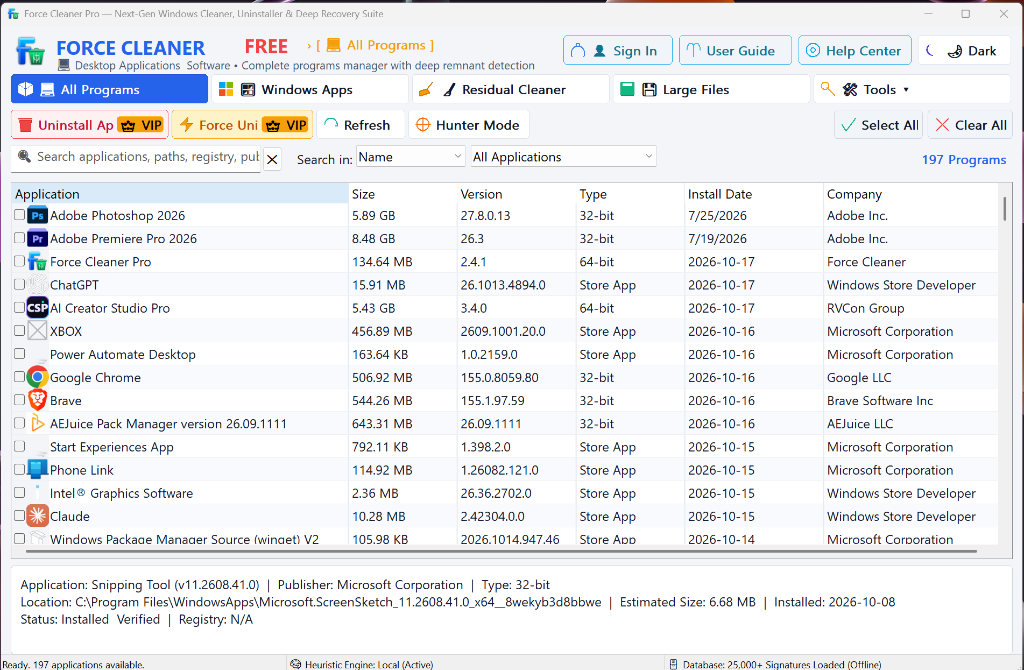
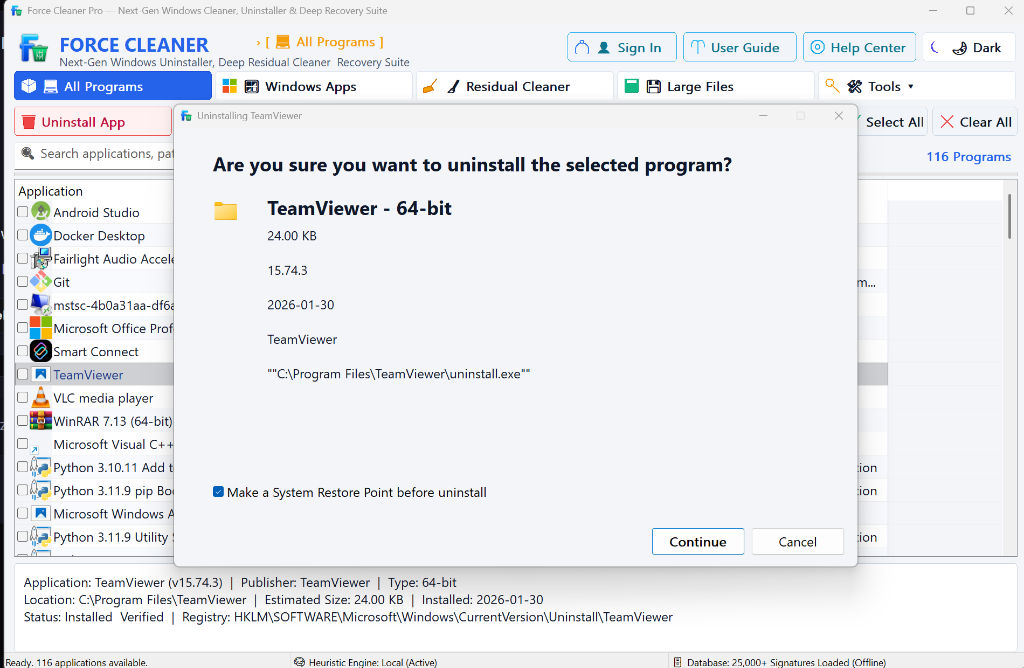
Safe Uninstallation Wizard & Automated VSS Checkpoint
Never worry about system instability or broken dependencies. Force Cleaner Pro inspects application file paths, registry keys, and installation metadata before uninstallation, creating automated rollback safety checkpoints.
- Automated Windows VSS System Restore Point: Automatically invokes Windows VSS to create a system restore checkpoint before uninstalling.
- Pre-Uninstall Verification Inspection: Confirms binary target path, size, version, and registry uninstall string before initiating actions.
- Non-Destructive Safety Gate: Clean confirmation dialog prevents accidental deletion of crucial system runtime components.
- Post-Removal Residual Sweep: Automatically runs deep post-uninstall scans to scrub leftover files in AppData, ProgramData, and Windows Registry.
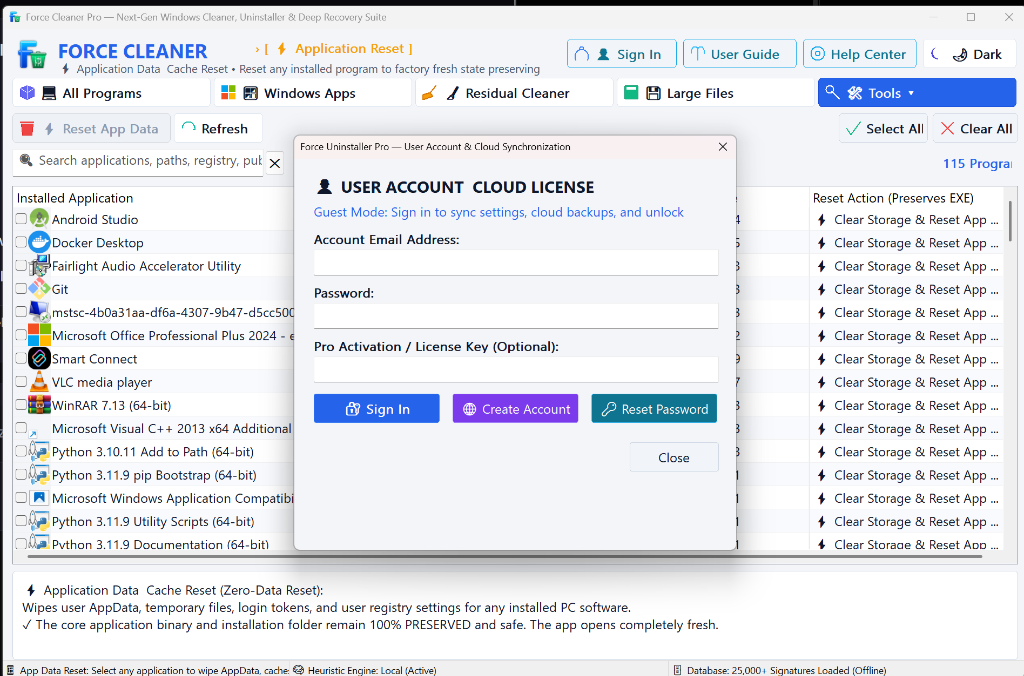
Cloud License Sync & Zero-Data Application Reset
Seamlessly bind your 16-digit Pro activation license across your desktop PCs. Plus, use our exclusive Zero-Data AppData Cache Reset tool to restore any program to factory-fresh state without re-downloading or reinstalling.
- 1-Click Pro Cloud License Activation: Enter your account email and 16-digit license key to unlock unlimited PC cleaning seats instantly.
- Zero-Data Application Reset (Factory Fresh): Wipes bloated AppData, temporary cache files, login tokens, and corrupted registry preferences while keeping the main executable 100% intact.
- Offline Activation Support: License validation works completely offline after initial authorization—no continuous background pinging.
- Direct Account Management: Manage hardware seats, reset passwords, or upgrade your plan directly from the application interface.
Why Regular Uninstallers Fail Where Force Cleaner Dominates
Standard Windows uninstallation routines rely on the program's own buggy uninstaller. Force Cleaner bypasses corrupted uninstall routines and tears out residual files at the kernel level.
Forceful Process & Lock Termination
Even when an application has crashed, refused to shut down, or hidden background services, Force Cleaner halts active process trees and releases locked file handles in microseconds.
Explore Force Removal →Multi-Hive Residual Registry Scrub
Deep scans HKEY_LOCAL_MACHINE, HKEY_CURRENT_USER, AppData, ProgramData, and Windows Services to hunt down orphaned CLSIDs, file associations, and leftover junk.
Learn About Registry Sweeper →Unattended Batch Uninstallation
Select 5, 10, or 50 apps at once. Force Cleaner executes silent uninstall scripts sequentially without requiring you to click "Next" or "Confirm" on every annoying prompt.
Batch Removal Details →Universal Windows Apps & Bloatware
Purge built-in Microsoft Store applications, OEM vendor bloatware, and stubborn telemetry packages that regular Control Panel refuses to allow you to delete.
Strip Windows Bloat →Startup Boost & Background Daemons
Identify hidden startup entries, scheduled tasks, and rogue context menu extensions slowing down your PC boot times. Disable them safely with 1-click restore.
Startup Management →Corrupted Installer & MSI Repair
Encountered "Error 1603: Fatal error during installation" or a missing setup.exe? Force Cleaner reconstructs installation parameters and purges broken entries cleanly.
Fix Corrupted Installers →Clean Your PC in 3 Simple Steps
No technical knowledge required. Clean up gigabytes of disk clutter in under 60 seconds.
Select Any Software
Launch Force Cleaner. The 0.05 ms instant-loading interface categorizes all installed 32-bit, 64-bit, and Windows Store apps.
Force Delete or Standard Scrub
Click "Force Clean". The engine forcefully closes locked processes, unregisters drivers, and executes the deep leftover scan.
100% Remnant-Free System
Review the leftover files, AppData folders, and registry keys discovered. With 1 click, eliminate every residual trace forever.
Free Edition vs Force Cleaner Pro
Choose the level of uninstallation power that fits your requirements.
| Capability & Feature | Standard Free | Force Cleaner Pro 👑 |
|---|---|---|
| Standard Program Uninstallation | ✓ Full | ✓ Full |
| Forceful Process & Lock Termination | Basic | ✓ Deep Kernel Unlock |
| Multi-Hive Registry Leftover Sweep | Limited to 1 Hive | ✓ Multi-Hive Deep Scrub |
| Unattended Silent Batch Uninstall | ✕ | ✓ Unlimited Batching |
| Windows Store Apps & Bloatware Purge | ✕ | ✓ 1-Click Bloat Stripper |
| Automatic Daily Software Updates | ✕ | ✓ Priority Live Updates |
| Dedicated 24/7 VIP Technical Support | Community FAQ | ✓ 24/7 Priority Tickets |